Description
WooCommerce Product Builder – Custom PC Builder – Product Configurator
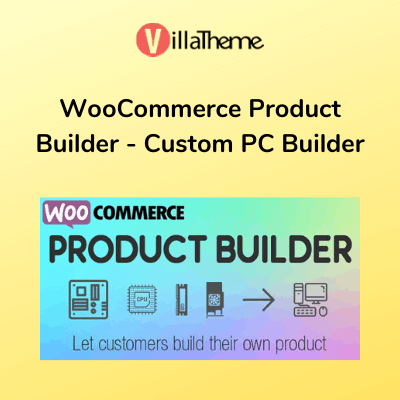
WooCommerce Product Builder is a plugin that allows your customers to build a full product set from small parts step by step. The plugin works base on WooCommerce with many useful features like compatible, email completed product, attributes filters …
PRODUCT BUILDER
The plugin allows your customers to build complete products step by step. You can set up steps, in each step, there will be products. You will decide which products will appear in a step then customers will pick one or more from those products.
- Create Product Builder pages: Each product builder will display on the front-end as a page, customers will build their products on this page. You can add as many product builders as you want.
- Multiple steps: Add as many steps as you need customers to select product parts.
- Change step name: Select a name for each step like STEP 1 – Mainboard, STEP 2 – CPU… Use the shortcode {step_number} to display the number of currency steps.
- Select product and categories for each step: You can select which products categories will appear in each step and then customers can pick one (or more) in that step.
- Select multiple products: Allow customers to add more than one product in each step. If this option is disabled, when customers select a product they will be automatically redirected to the next step.
- Quantity field: This option allows customers to select products quantity. If this option is disabled, the quantity will be set as 1.
- Preview button: The preview feature allows customers to view their full product before purchase. The preview page will appear in the last step, by enabling this option you will allow customers to visit the preview page from any step.
- Product per page: Select how many products will be displayed on one page in the front-end.
COMPATIBLE
Make sure all selected product parts will work properly. The compatible feature works based on attributes values. For example: In STEP 1 – CPU, customers select a CPU with the attribute “Socket” has its value as “LGA 1151”, then in STEP 2 – Mainboard he will find only mainboards which have the socket LGA 1151 (this attribute value must be added to products)
Attribute widgets help your customers to easier to find the product they want to purchase. To enable attribute widgets, visit Appearance/ Widgets, look for WC Product Builder Widgets and drag/drop them to WC Product Builder Sidebar Area. Please take note that the plugin will not work with custom attributes. To add/edit attributes, please visit Products/ Attributes
- Price Filter: Allow customers to find products in a price range.
- Rating Filter: Allow customers to find products base on ratings.
- Attribute Filter: Allow customers to find products base on attributes. Like colour, brand…
PREVIEW PAGE
After finish building a product, customers can review it again on the preview page. This page will display information about product names, prices, quantity, total price. Then customers can select to check-out or email the completed product.
EMAIL BULT PRODUCT
Customers can send their finished product by emails
- Shortcode: There are 3 shortcodes to help you configure the product emails.
{email}: sender email
{subject}: email subject
{message_content}: products information - “Thank you” message: A message notice customers that their products have been sent successfully.
DESIGN
The plugin offers many options to change the front-end design.
- Text color: Change the button text colour
- Background color: Change the button background-colour
- Primary text color: Change the button text hover colour
- Primary background color: Change the button background hover colour
- Button Icon: Select the button icon style. There are 2 styles of text and icon.
- Custom CSS: Add your own CSS code to configure the front-end style as you want.
Product Version & Update Information
If you want to check the current version of the product or request the latest update, you can do so easily.
Contact us on WhatsApp or submit the update request form below.
We process all requests promptly to ensure smooth experience for ThemePluginBD customers.
Check Version & Request Update via WhatsApp
For instant verification of the current product version or to request the latest update, contact our support team on WhatsApp.
Please mention your product name or order ID for faster assistance.
Contact on WhatsApp
Request Version Info & Updates via Form
Prefer receiving information or updates via email?
Submit the form below to either check the current version or request the latest update file.
Ensure you provide the correct email address so we can respond quickly.
ThemePluginBD ensures 100% genuine and malware-free products.
All version checks and updates are handled securely and delivered promptly.













Reviews
There are no reviews yet.